Swift Concurrency That Survives Reality: Cancellation, Ordering, and Screen Lifetimes

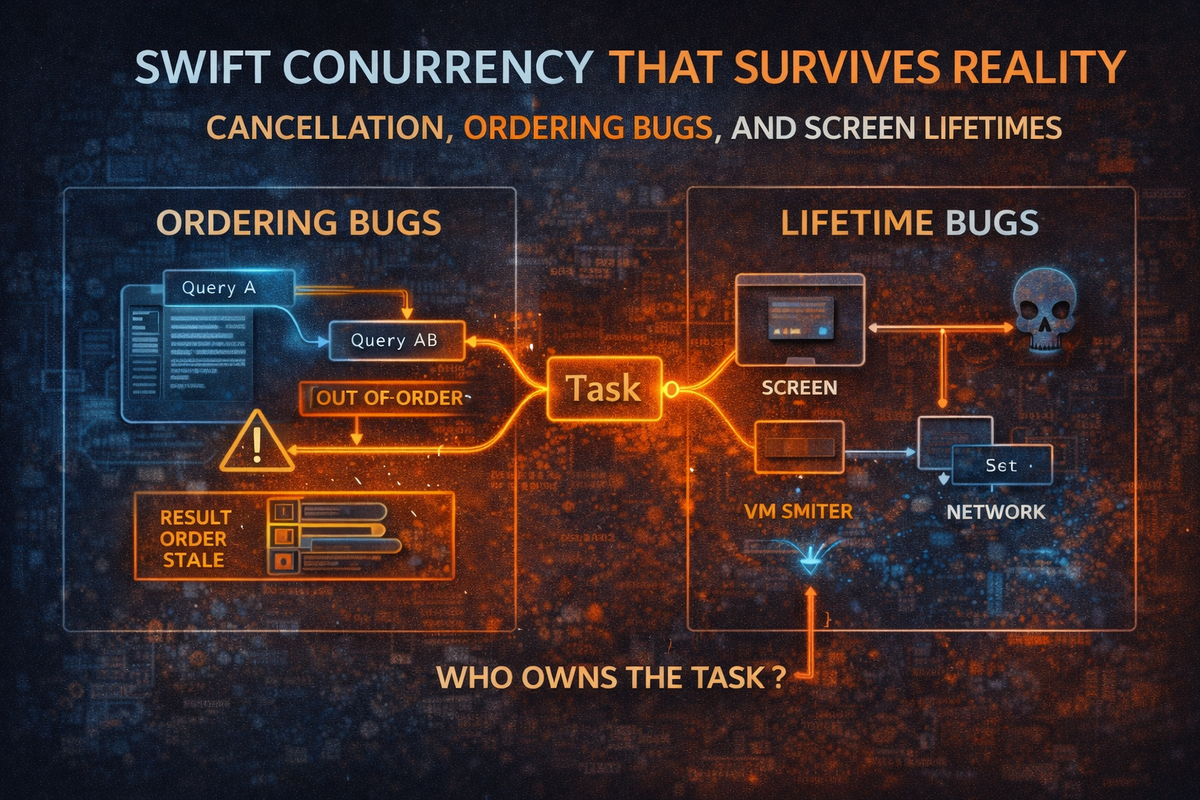
Most concurrency bugs in iOS apps aren't exotic. They're mundane:
- "Results show for the previous search term."
- "User navigated away, but the request finishes and updates state anyway."
- "Two requests race; the slower one wins."
- "Logout happens, but background work re-hydrates the session."
These are ordering bugs and lifetime bugs. They happen because async work outlives the UI context that triggered it—or completes out of order.
Swift Concurrency gives you tools to fix this. But there's a critical misunderstanding that causes most of the pain:
Cancellation does not happen automatically when a view deallocates.
A SwiftUI View is a value type. It can be recreated constantly. When something "disappears," that doesn't stop work running in your networking layer. Cancellation flows through Task lifetimes, and it's cooperative—the work has to check for it.
So the question you should always ask is: Who owns the Task?
If you can't answer that, you can't reason about cancellation.
The Three Lifetimes That Matter
1. View-scoped (.task)
SwiftUI can own the task for you:
struct SearchView: View {
    @StateObject var vm = SearchViewModel()

    var body: some View {
        List(vm.results) { Text($0.title) }
            .task(id: vm.query) {
                await vm.search()
            }
    }
}
- SwiftUI creates the task.
- When the view disappears, SwiftUI cancels it.
- When
idchanges, SwiftUI cancels the prior task and starts a new one.
This is the cleanest pattern—as long as your work is cancellation-aware.
2. ViewModel-scoped (VM stores a Task)
If your VM creates and stores tasks, the VM controls cancellation:
@MainActor
final class SearchViewModel: ObservableObject {
    @Published private(set) var results: [Result] = []
    private var searchTask: Task<Void, Never>?

    func search(query: String) {
        searchTask?.cancel()
        searchTask = Task {
            await performSearch(query: query)
        }
    }
}
If the view goes away but the VM is still retained, the task continues unless you cancel it explicitly.
3. Coordinator-scoped (coordinator owns VM)
This is where teams get surprised.
If a coordinator retains the VM (or retains the task), popping the view does not deallocate the VM. Nothing cancels automatically.
You need an explicit screen scope: start when the screen appears, stop when it disappears.
final class ScreenScope {
    private var tasks: [Task<Void, Never>] = []

    func run(_ operation: @escaping @Sendable () async -> Void) {
        tasks.append(Task { await operation() })
    }

    func cancel() {
        tasks.forEach { $0.cancel() }
        tasks.removeAll()
    }
}
final class ProfileCoordinator {
    private let scope = ScreenScope()
    private let vm: ProfileViewModel

    func start() {
        scope.run { [vm] in await vm.loadProfile() }
    }

    func stop() {  // Called on dismiss/pop
        scope.cancel()
    }
}
Now your navigation lifecycle controls cancellation deterministically.
Ordering Bugs: "Last Request Wins" Is Not Guaranteed
Async responses can return in any order. If you do this:
func search(query: String) async {
    results = await api.search(query)  // ❌ Race: old query can overwrite new
}
You will eventually show stale results.
Fix 1: Tie the task to query changes with .task(id:)
When the user types, the old task cancels and the new one starts. But cancellation only helps if your network call is cancellation-aware and you don't accidentally detach work.
Fix 2: Version gating ("stale writes don't land")
Even with cancellation, you want a hard guard:
@MainActor
final class SearchViewModel: ObservableObject {
    @Published private(set) var results: [Result] = []
    private var version: UInt64 = 0
    private let api: SearchAPI

    init(api: SearchAPI) { self.api = api }

    func search(query: String) {
        version &+= 1
        let capturedVersion = version

        Task {
            do {
                let items = try await api.search(query: query)
                guard capturedVersion == self.version else { return }
                self.results = items
            } catch is CancellationError {
                // Expected when cancelled—ignore
            } catch {
                // Handle error (consider version gating here too)
            }
        }
    }
}
This is robust because it prevents stale responses from landing even if cancellation didn't propagate cleanly.
Cooperative Cancellation: The Part Most Code Gets Wrong
Cancellation doesn't stop CPU work unless you check. For loops or multi-step pipelines, add explicit checks:
func compute() async throws -> Output {
    try Task.checkCancellation()
    let a = heavyStep1()
    try Task.checkCancellation()
    let b = heavyStep2(a)
    try Task.checkCancellation()
    return b
}
Networking: The async URLSession APIs cooperate with task cancellation. If the parent task is cancelled, the request will generally be cancelled and you'll see CancellationError.
If you wrap old callback APIs, you need to bridge cancellation using withTaskCancellationHandler and cancel the underlying request yourself.
Common Foot-Guns
Task.detached: Detached tasks don't inherit cancellation or priority from the parent. If you use Task.detached for screen work, you've opted out of lifecycle control. Prefer Task { ... } unless you have a specific reason.
Background state updates: Even with actors, you can inadvertently update published state off the main actor. Either mark the whole view model @MainActor, or funnel mutations through await MainActor.run { }. For UI-facing state, @MainActor final class ViewModel is usually the simplest correct default.
Testing the Race
A senior approach isn't "I think it's fine." It's: "I can reproduce and prevent it."
Create a fake API that returns out of order:
- Query
"a"returns after 500ms - Query
"ab"returns after 50ms
Assert that results reflect "ab", not "a".
Your version-gating approach makes this test deterministic. Run it as an async unit test.
Checklist
- Decide ownership: view-scoped, VM-scoped, or coordinator-scoped.
- Cancel deterministically:
.task(id:), stored task handles, or a screen scope. - Prevent stale writes: version/token gating for any "latest wins" state.
- Avoid detached tasks for UI-initiated work.
- Assume out-of-order responses and design for them.
- Test the race with a deliberately adversarial fake API.
Companion Project: ConcurrencyDemo
To make these concepts concrete, there's a companion Xcode project that demonstrates each pattern—and lets you see the bugs happen in real time.
Project Structure
ConcurrencyDemo/
├── Services/
│   ├── SearchAPI.swift
│   └── FakeSearchAPI.swift        # Deliberately returns out-of-order
├── Utilities/
│   └── ScreenScope.swift          # Task lifetime management
├── ViewModels/
│   ├── SearchViewModel.swift      # Buggy + Fixed versions
│   └── ProfileViewModel.swift
├── Coordinators/
│   └── ProfileCoordinator.swift   # Uses ScreenScope
├── Views/
│   ├── SearchDemoView.swift       # .task(id:) demo
│   ├── RaceConditionDemoView.swift
│   └── CoordinatorDemoView.swift
└── Tests/
    └── SearchViewModelTests.swift # Race condition tests
Demo Scenarios
1. Search with .task(id:)
Shows view-scoped tasks with automatic cancellation when the query changes. Type in the search field and watch the console—you'll see prior requests get cancelled as you type.
2. Race Condition Demo
Side-by-side comparison of buggy vs. fixed implementations:
- Buggy: Type quickly and watch wrong results appear. The
FakeSearchAPIis configured so short queries ("a") take 500ms and long queries ("abc") take 50ms—this deliberately creates the race. - Fixed: Version gating ensures only the latest results land.
3. Coordinator Pattern
Profile screen with a 3-second load. Dismiss before the load completes and watch the console—the task gets cancelled via ScreenScope.
The Test That Proves It
func testVersionGating_preventsStaleResults() async {
    viewModel.query = "a"
    Task { await viewModel.search() }  // Slow (500ms)

    viewModel.query = "ab"
    Task { await viewModel.search() }  // Fast (50ms)

    // Assert: results are for "ab", not "a"
}
This is the point: you can prove the fix works, not just hope.
| Pattern | Who Owns Task | When to Use |
|---|---|---|
.task(id:) |
SwiftUI | Simple view-driven work |
| Stored Task | ViewModel | Need manual control |
| ScreenScope | Coordinator | Coordinator retains VM |
Closing Thought
If you can answer these two questions, you're already ahead of most teams:
- Who owns this task?
- What prevents stale results from landing?
Swift Concurrency doesn't eliminate bugs. It gives you the vocabulary to make lifetimes and ordering explicit—so your app behaves correctly when reality is messy.